eBooks, eNewspapers, eMagazines and eAudio
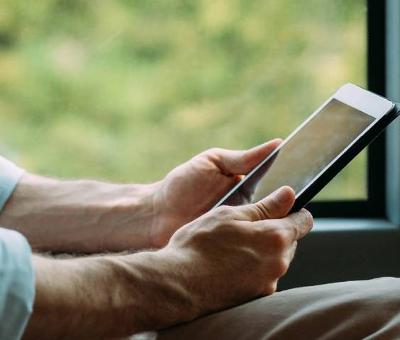
We offer a range of eBooks, eAudio books, eNewspapers and eMagazines that library members can download free of charge, with no reservation or overdue charges. All you need is a library card. Read or listen on your computer, smartphone, tablet or eBook reader.
eBooks, eAudio books and eMagazines from OverDrive
Search the Norfolk OverDrive website
- Access eBooks, eAudio books and eMagazines with your library card number and PIN.
- Sign up and access on the web - norfolk.overdrive.com or for Android (7.1.1+) and Apple (iOS 10+) devices download the Libby App.
- OverDrive is compatible with most devices including Kindle Fire tablets (but not Kindle eReaders)
- You can install Libby from the Amazon Appstore on compatible Fire tablets running Android 9 or higher. Find information on compatible Fire tablets.
- Borrow up to six eBooks or eAudio books for up to three weeks
- Borrow an unlimited number of eMagazines for up to three weeks
- Please note: After the end of May 2026 customers using Adobe Digital Editions to download ebooks to a computer or ereader may be affected by changes to how they access the service. Read more about these changes.
Technical help
For help with the Libby App, visit the Libby Help website.
Visit the OverDrive help pages for answers to technical problems.
You can also fill in their online support form.
eNewspapers and eMagazines from PressReader
Free access to PressReader is only available when signing in with your library card and pin number. If you sign in with a social media account you will be charged for using this service.
Access thousands of newspapers and magazines online (UK and worldwide coverage).
Sign in with your Norfolk Library card for free PressReader access
- Sign in for free with your library card and PIN
- Sign in to PressReader with your library card by selecting Sign in, select 'Library or Group'. Search for 'Norfolk' and select 'Norfolk County Library & Information Service'. Then sign in with your Library card number and PIN and Agree to Verification.
- Sign in and access on the web or download the app for tablets and mobiles from your app store
- Read online or download newspapers and magazines to your mobile device to read anytime
- You can increase text size, translate any article into 60 languages, or listen with the read aloud function.
- Having trouble signing into PressReader? Make sure the 'Hotspot' option is always turned on so you can sign in with your library card, even if you never use the hotspot feature.
Technical help
For user guides, tutorials and help with any technical queries visit the PressReader help centre.
eAudio books from Borrowbox
Search the Norfolk Borrowbox website
- Access hundreds of eAudio books free with your library card number and PIN
- Sign up and access on the web or download the Borrowbox app for tablets and mobiles from your app store. View the Borrowbox user guide
- On an Amazon Kindle Fire you will need to download the BorrowBox app directly from their website rather than from the Kindle store.
- Borrow up to four titles for three weeks
- Reserve titles already on loan (reserves count towards your loan limit)
Technical help
Visit the BorrowBox help page (log-in required) for help with using the service, or email [email protected]


